Calculate slope grade percentage for running, cycling, hiking, and engineering projects
Use negative values for elevation loss
Enter values and calculate to see results
A positive grade indicates an uphill slope, while a negative grade indicates a downhill slope.
Whether you’re planning a construction project, designing a walkway, installing a driveway, or mapping out a hiking trail, understanding elevation grade is essential for safe and effective planning. An Elevation Grade Calculator helps you quickly determine the steepness of any slope by calculating the percentage grade between two points. Instead of performing manual calculations, an Elevation Grade Calculator delivers fast and accurate results, making it easier to plan projects with confidence. This comprehensive guide will walk you through everything you need to know about elevation grade, from basic concepts to practical applications.
Elevation grade, also known as slope or gradient, measures how steep an incline is by comparing the vertical rise to the horizontal distance traveled. An Elevation Grade Calculator expresses this relationship as a percentage, showing how much elevation changes over a given horizontal distance.
For example, a 10% grade means that for every 100 feet you travel horizontally, you’ll climb or descend 10 feet vertically. The steeper the slope, the higher the percentage grade. An Elevation Grade Calculator makes this calculation instantly, helping users avoid manual errors and obtain precise measurements.
Think of elevation grade as a standardized way to measure steepness that’s easy to understand and compare across different projects, construction sites, roads, and outdoor trails. Using an Elevation Grade Calculator ensures that these measurements remain consistent and accurate.
Understanding elevation grade is essential for construction, engineering, landscaping, and outdoor planning. An Elevation Grade Calculator helps professionals and homeowners accurately measure slope before beginning a project.
Steep grades can be dangerous for vehicles, pedestrians, cyclists, and construction equipment. Building codes often specify maximum allowable grades for ramps, driveways, sidewalks, and walkways to ensure accessibility for people with disabilities. An Elevation Grade Calculator helps verify whether a planned slope meets safety and accessibility standards.
Engineers, architects, and contractors use an Elevation Grade Calculator to determine proper drainage, foundation requirements, retaining wall design, and material quantities. Since water naturally flows downhill, knowing the exact grade helps prevent flooding, standing water, soil erosion, and drainage problems.
Steeper grades usually require additional excavation, fill materials, specialized equipment, retaining structures, and more labor. By using an Elevation Grade Calculator, project planners can estimate costs more accurately, prepare realistic budgets, and avoid unexpected construction expenses.
Many local building codes, transportation standards, and engineering regulations specify maximum allowable grades for residential driveways, commercial parking lots, public sidewalks, roads, and wheelchair-accessible ramps. An Elevation Grade Calculator helps ensure your project complies with these requirements before construction begins.
An Elevation Grade Calculator also helps improve project planning by allowing users to compare different design options before construction starts. Whether you’re planning a road, pathway, garden, drainage channel, or landscaping project, using an Elevation Grade Calculator provides reliable measurements that support smarter decisions and more efficient project execution.
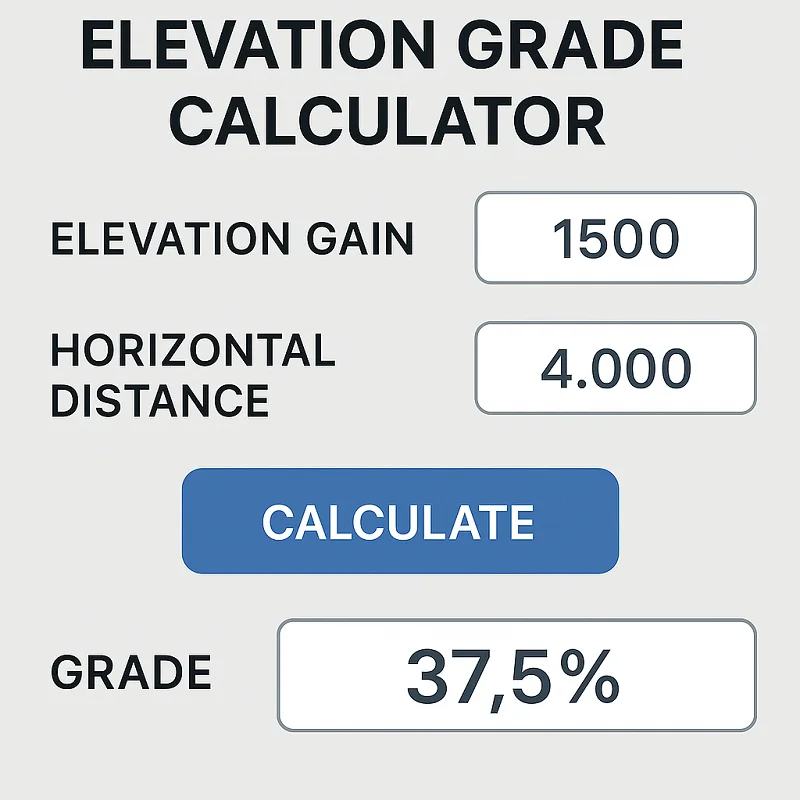
Calculating elevation grade is straightforward once you understand the basic formula. Here’s how to do it step by step:
The Elevation Grade Formula
Grade (%) = (Rise ÷ Run) × 100
Where:
Step 1: Measure the vertical distance (rise) between your starting and ending points. This is the difference in elevation.
Step 2: Measure the horizontal distance (run) between the same two points. This is the straight-line distance on a level plane.
Step 3: Divide the rise by the run to get a decimal value.
Step 4: Multiply the result by 100 to convert it to a percentage.
Step 5: Round to the desired number of decimal places for your specific needs.
Important Notes
Let’s work through a practical example to illustrate the calculation process.
Scenario: You’re planning a driveway that starts at street level (elevation 100 feet) and ends at your house (elevation 115 feet). The horizontal distance from the street to your house is 200 feet.
Step 1: Calculate the rise
Step 2: Identify the run
Step 3: Apply the formula
Result: Your driveway has a 7.5% grade, which is considered moderate and suitable for most vehicles.
Construction & Civil Engineering
In construction, elevation grade affects everything from foundation design to drainage systems. Engineers use grade calculations to design proper water runoff, determine excavation requirements, and ensure structural stability. For example, parking lots typically require a minimum 1% grade for drainage but shouldn’t exceed 5% for safety reasons.
Foundation contractors rely on grade calculationshttps://cgpato-percentage.com/grade-calculator/ to determine how much excavation is needed and where retaining walls might be necessary. The grade also influences the type of foundation system required, with steeper slopes often needing specialized solutions like stepped foundations or pier systems.
Landscaping Projects
Landscapers use elevation grade to design effective drainage systems, plan irrigation layouts, and create visually appealing terrain features. A gentle 2-3% grade away from buildings prevents water damage, while steeper grades might require terracing or retaining walls.
Garden designers also consider grade when planning plant placement, as different plants thrive in different drainage conditions. Slopes affect sun exposure, water retention, and soil erosion, all crucial factors in landscape design.
Trail & Hiking Planning
Hikers and trail designers use elevation grade to assess difficulty levels and plan safe routes. Most hiking trails aim for grades between 5-15%, with anything over 20% considered very steep and challenging.
Trail maintenance crews use grade calculations to identify areas prone to erosion and plan appropriate drainage solutions. Understanding grade helps create sustainable trails that minimize environmental impact while providing enjoyable outdoor experiences.
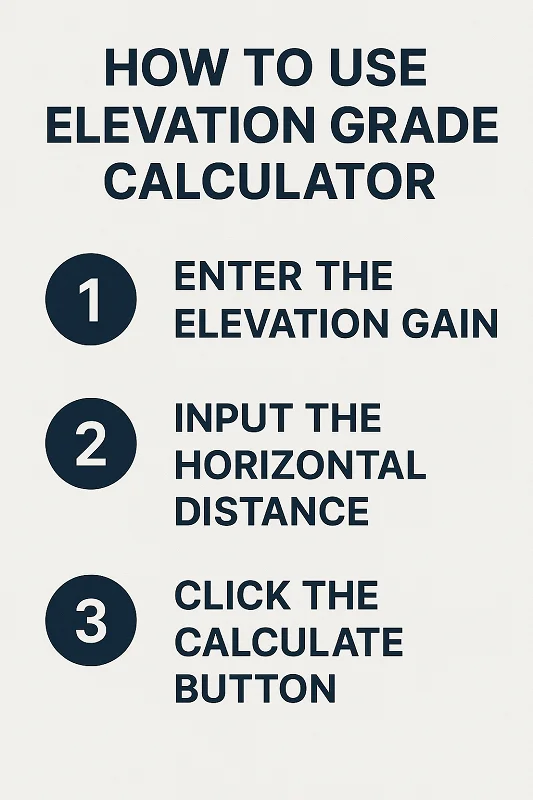
Ready to calculate elevation grade for your project? Our free online elevation grade calculator makes the process quick and accurate. Simply enter your rise and run measurements, and get instant results with detailed explanations.
The calculator handles conversions between different units, provides results in multiple formats (percentage, ratio, and degrees), and includes helpful tips for interpreting your results. Whether you’re a homeowner planning a DIY project or a professional contractor working on complex developments, our tool saves time and ensures accuracy.
Benefits of using our calculator:
An Elevation Grade Calculator is an essential tool for engineers, architects, contractors, surveyors, landscapers, and homeowners who need to determine slope and grade accurately. Instead of relying on manual calculations, an Elevation Grade Calculator provides fast and precise results that help improve planning and reduce the risk of costly mistakes. Whether you’re designing a driveway, planning drainage systems, building roads, or preparing a construction site, using an Elevation Grade Calculator ensures your measurements are accurate and easy to understand.
Understanding elevation grade is important because it directly affects water drainage, structural stability, accessibility, and overall project safety. Even a small error in grade calculations can lead to drainage issues, uneven surfaces, or additional construction costs. An Elevation Grade Calculator eliminates guesswork by instantly calculating the grade percentage based on elevation change and horizontal distance. This makes it a valuable resource for both small residential projects and large-scale commercial developments.
Another major benefit of using an Elevation Grade Calculator is that it saves time while improving accuracy. Students studying civil engineering or surveying can also use an Elevation Grade Calculator to understand slope calculations and verify classroom exercises. Professionals benefit from faster project planning, while DIY users can confidently calculate grades before beginning landscaping or home improvement work.
Ready to calculate slope and elevation grade with confidence?
Use a trusted Elevation Grade Calculator to determine elevation changes, slope percentages, and grade values instantly. Simply enter the required elevation and distance measurements, and the calculator will generate accurate results within seconds, making planning and decision-making much easier.
For an additional reliable reference and calculation resource, visit:
https://www.omnicalculator.com/construction/elevation-grade
A dependable Elevation Grade Calculator helps reduce manual calculation errors, improves project accuracy, and simplifies complex grade calculations for construction, landscaping, road design, drainage planning, and surveying projects. Whether you’re a student learning about elevation grades or a professional managing engineering work, using an Elevation Grade Calculator can save valuable time while ensuring dependable results. Start using an Elevation Grade Calculator today to plan your projects more efficiently, improve measurement accuracy, and make informed decisions with confidence.

CGPA to Percentage is a free educational platform that helps students calculate CGPA, GPA, percentages, grades, credit hours, and other academic scores.
© 2026. All rights reserved.